노래 제목을 읽어주는 플레이어, Riffle을 만들었어요Riffle — a player that reads song titles out loud
by papig
차 안에서 아이가 뒷자리에서 “이거 무슨 노래야?”를 하루에도 몇 번씩 물어봤어요. 매번 대답해 주다가, 그냥 앱이 제목을 읽어주면 되는 거 아닌가 싶었습니다. 그렇게 만든 게 Riffle이에요.
핵심은 단순합니다. 곡이 시작되기 전에 노래 제목을 음성으로 먼저 읽어줍니다. 제목을 읽고, 이어서 아티스트를 읽고, 그다음 노래가 나와요. 흘려듣기만 해도 “아 이 노래가 이 제목이구나”가 자연스럽게 남습니다. 아이용으로 만들었는데, 정작 제가 제목 못 외우던 노래들을 알게 됐네요.
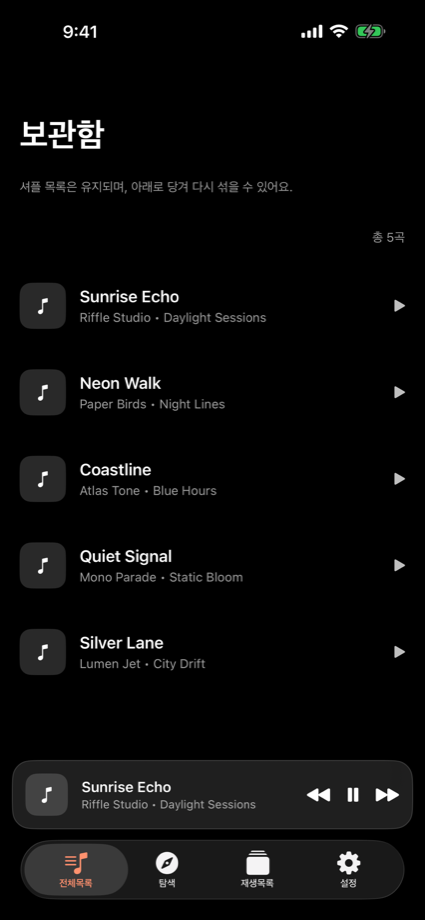
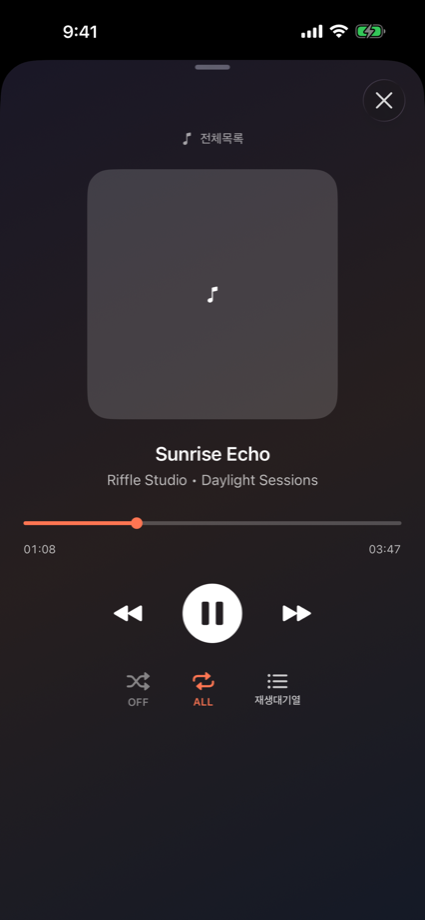
물론 평범한 음악 플레이어로도 씁니다. 기기에 있는 음악을 재생하고, 셔플·반복이 되고, 한 번 섞은 순서는 그대로 유지돼요. 다시 섞고 싶으면 보관함에서 아래로 당겨 새로고침하면 됩니다.
걸으면서 듣기 좋게 (새로 추가)
요즘 걸으면서 음악 들을 때가 많은데, 지금 얼마나 걸었는지 슬쩍 알려주면 좋겠더라고요. 그래서 걷기·러닝 기능을 넣었어요. 다른 러닝 앱과 제일 다른 점은 음악을 끊지 않는다는 거예요. 곡 사이사이에 얼마나 걸었는지 조용히 얹어줄 뿐이라, 노래는 그대로 계속 흘러갑니다.
애플워치가 있으면 워치로, 없으면 아이폰만으로도 기록돼요. 위치(GPS)는 안 써서 배터리 부담도 적고요. 평소엔 꺼져 있고, 걸으러 나갈 때 설정에서 켜기만 하면 됩니다. 알려주는 게 거슬리는 날엔 다시 꺼두면 그만이에요.
이렇게 쓰면 돼요
- 보관함에서 듣고 싶은 곡이나 앨범을 고릅니다.
- 재생하면 제목 → 아티스트 순으로 읽어준 뒤 노래가 시작돼요.
- 제목만 읽기, 아티스트까지 읽기는 설정에서 켜고 끌 수 있습니다.
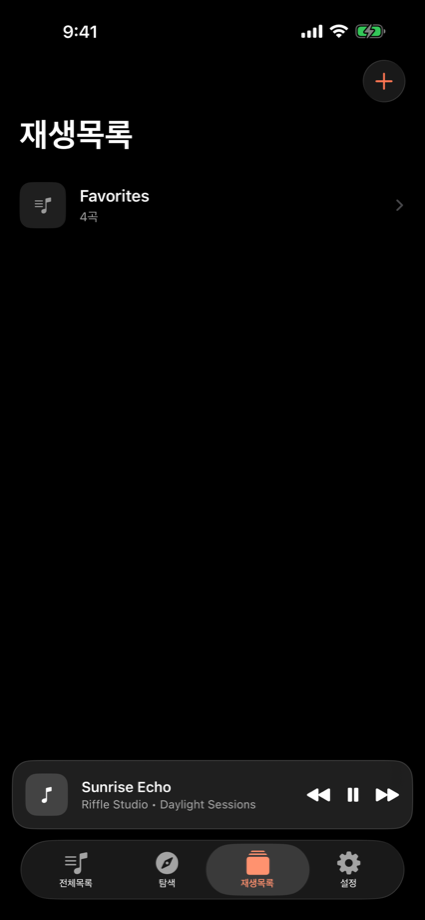
- 자주 듣는 곡은 플레이리스트로 묶어두면 편해요.
- 걸으러 나갈 땐 설정에서 걷기·러닝을 켜두면, 음악은 그대로 두고 걸은 만큼만 알려줘요.
읽어주는 기능이 거슬리는 날엔 설정에서 꺼두면 그냥 조용한 플레이어가 됩니다.
App Store에서 받을 수 있어요 → Riffle 보러 가기 궁금한 점은 고객지원 페이지로요.
In the car, my kid kept asking “what song is this?” from the back seat — several times a day. After answering it for the hundredth time, I figured the app could just read the title out loud instead. That’s how Riffle started.
The idea is simple. Before each track starts, it reads the song’s title out loud. It speaks the title, then the artist, and then the music plays. Even with half an ear, “oh, so this is that song” just sticks. I built it for my kid, but I ended up learning the titles of songs I could never remember myself.
It also works as an ordinary music player, of course. It plays the music on your device, does shuffle and repeat, and keeps a shuffled order once it’s set. Want a fresh shuffle? Just pull down to refresh in the library.
Nice for walks now (new)
I walk a lot while listening to music, and I kept wishing it would quietly tell me how far I’d gone. So I added a walking & running mode. The big difference from other running apps: it doesn’t cut your music off. Between songs it just slips in how far you’ve walked, and the music keeps playing.
It works with an Apple Watch, or with just your iPhone. It doesn’t use GPS, so it’s easy on the battery. It stays off until you want it — flip it on in Settings before a walk, and turn it back off any day the updates get in the way.
How to use it
- Pick a track or album from your library.
- On play, it reads the title, then the artist, and the song starts.
- Reading just the title vs. title + artist is a toggle in Settings.
- Group songs you play often into playlists.
- Heading out for a walk? Turn on walking & running in Settings — the music stays on, and it just tells you how far you’ve gone.
If the spoken titles get in the way, turn them off in Settings and it’s just a quiet player.
Get it on the App Store → View Riffle Questions? Head to the support page.