체크하는 것도 까먹는 사람을 위한 습관 앱, KeepStreakKeepStreak — a habit app for people who forget to check the box
by papig
작심삼일이라는데, 저는 삼일도 못 갔어요. 습관 앱을 써봐도 문제는 똑같았습니다. “오늘 했음” 체크하는 것 자체를 까먹더라고요. 결국 체크가 밀리고, 밀리면 보기 싫어지고, 그러다 앱을 지웠어요.
그래서 KeepStreak은 체크를 없앴습니다. 목표를 하나 정해두면, 지켜낸 날이 매일 자동으로 하루씩 쌓여요. 사용자가 할 일은 그 숫자가 늘어나는 걸 지켜보는 것뿐입니다. “며칠째 지켜냈는지”가 큰 숫자로 딱 보이니까, 그거 하나 보려고 다시 열게 돼요.
특히 “안 하기”형 목표에 잘 맞아요. 탄산 안 먹기, 야식 안 먹기, 담배 끊기 같은 것들이요. 매일 뭔가를 하는 게 아니라 안 하기만 하면 되니까, 자동 카운트랑 궁합이 좋습니다. 대표로 정한 챌린지는 홈 화면 위젯에 올려두면 앱을 안 켜도 숫자가 보여요. 어긴 날이 있으면 그 챌린지만 리셋해서 1일부터 다시 시작하면 됩니다.
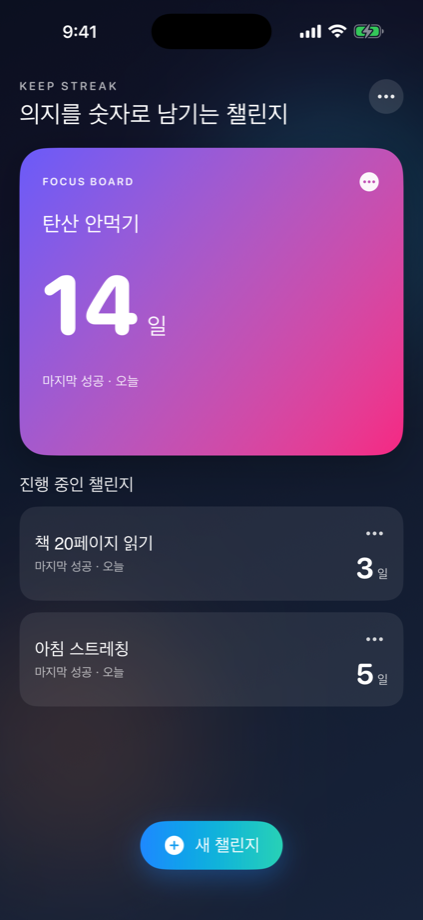

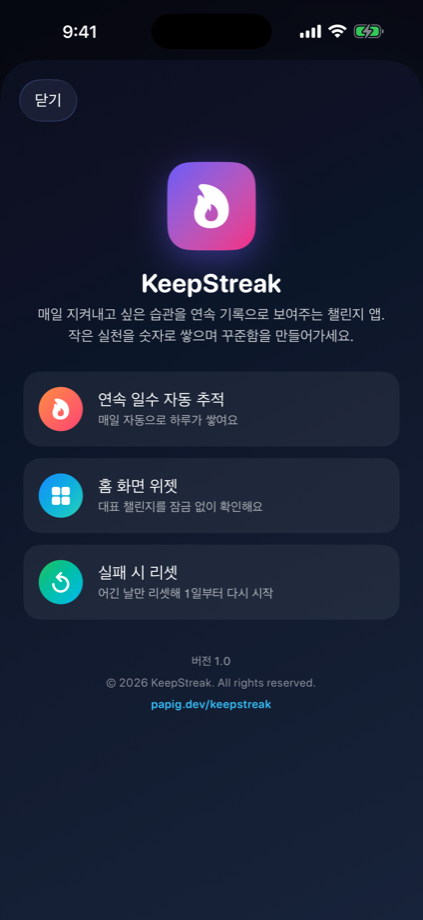
이렇게 쓰면 돼요
- 지켜낼 목표를 하나 추가합니다. (예: 탄산 안 먹기)
- 매일이 자동으로 연속 기록에 쌓여요. 따로 체크할 게 없습니다.
- 대표 챌린지를 홈 화면 위젯에 올려두고 숫자를 지켜봅니다.
- 어긴 날엔 리셋하고 다시 1일부터 시작하면 돼요.
기록은 전부 기기에만 저장돼요. 이제 App Store에서 받으실 수 있습니다 → KeepStreak 보러 가기 궁금한 점은 고객지원 페이지로요.
They say most resolutions die in three days — I couldn’t even make it to three. Habit apps didn’t help, because the problem was the same: I’d forget to tap the “did it today” checkbox. The checks would pile up, the pile got depressing to look at, and eventually I’d just delete the app.
So KeepStreak got rid of the checkbox. You set one goal, and every day you keep it, your streak grows by one — automatically. All you have to do is watch the number go up. Because “how many days you’ve kept it” shows up as one big number, you keep opening the app just to see it.
It fits “don’t do it” goals especially well — no soda, no late-night snacks, quitting smoking. You don’t have to do something every day, you just have to not do it, which pairs perfectly with automatic counting. Pin your main challenge to a home-screen widget and the number is right there without even opening the app. Slip up one day? Just reset that one challenge and start again from day one.
How to use it
- Add one goal to keep. (e.g. no soda)
- Every day adds itself to the streak — nothing to check off.
- Pin your main challenge to a home-screen widget and watch the number.
- If you slip, reset and start again from day one.
Everything is stored only on your device. It’s out on the App Store now → View KeepStreak Questions? Head to the support page.